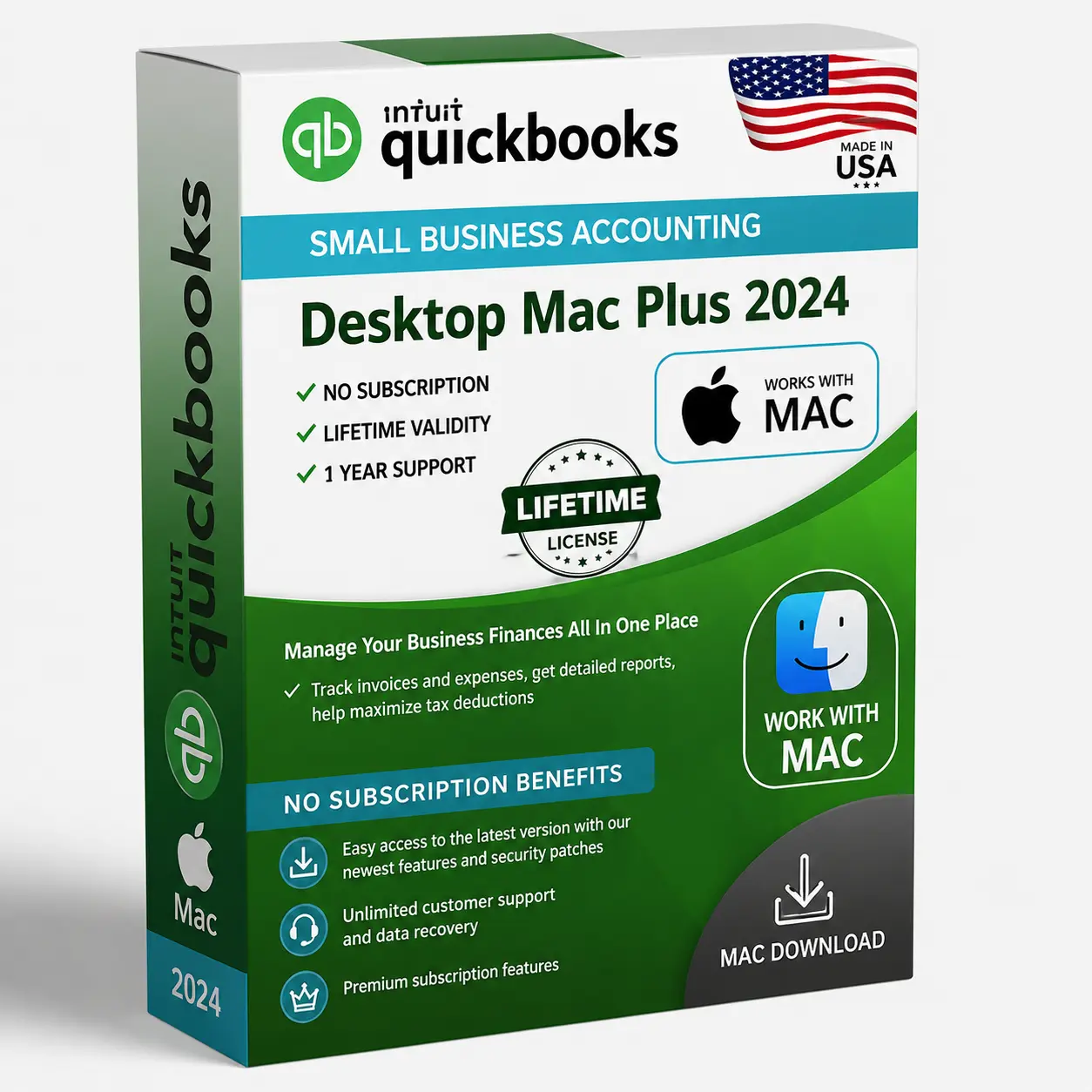
QuickBooks Desktop Mac Plus 2024
Native QuickBooks Desktop accounting for macOS. One-time purchase, genuine license, instant delivery.
One-time payment · No subscription
- Designed for Mac (Intel & Apple Silicon)
- One-time payment — no monthly fees
- Genuine license, instant delivery
- Works offline on your Mac
- 24/7 support
Product description
QuickBooks Desktop Mac Plus 2024 brings trusted desktop accounting to macOS with a clean, native Mac experience. Track income and expenses, send invoices, manage bills and run insightful reports — all on your Mac. Genuine license delivered instantly, with a one-time payment and no subscription.
Key features
- Native macOS experience
- Track income, expenses & bills
- Create & send invoices
- Insightful financial reports
- Bank reconciliation
- Automated backups
System requirements
Operating system: macOS Monterey 12 or later
Processor: Intel or Apple Silicon (M1/M2/M3)
RAM: 4 GB minimum (8 GB recommended)
Disk space: 4.4 GB available
Display: 1280×800 or higher
Internet: Required for download, activation and updates
Overview
QuickBooks Desktop Mac Plus 2024 is the Mac-native accounting application for small businesses that run on Apple hardware and want a one-time license instead of a cloud subscription. It is designed from the ground up for macOS, with a familiar Mac interface, native menus and Apple-style usability that Windows editions can't match on a Mac.
Mac Plus covers the core accounting a small business needs: create and email customizable invoices and estimates, track income and expenses, manage customers and vendors, reconcile bank accounts, handle sales tax and run essential financial reports such as profit & loss and balance sheet. It supports basic inventory, batch invoicing, and importing bank transactions, and it can share documents through iCloud and integrate with Apple Contacts and Calendar. Layout and form customisation, plus one-click reports, keep day-to-day bookkeeping quick and visual.
It's important to understand how the Mac edition differs from QuickBooks Desktop for Windows. Mac Plus does not include the industry-specific editions, advanced inventory, sales orders or the breadth of reports found in Premier and Enterprise on Windows. Multi-user access is supported for up to three users on a Mac network. Many Mac businesses also use it to hand clean books to a Windows-based accountant at year end. If your workflow depends on Windows-only features, plan for that before switching; for most Mac-based small businesses, Mac Plus delivers exactly what they need with the comfort of a native Mac app.
As a Desktop edition, Mac Plus 2024 is installed on your Mac and licensed once for the 2024 release with no recurring subscription. You receive the genuine Intuit download and activation key, your data stays on your own machine, and you pay a single price. It runs natively on current macOS releases, so it feels at home alongside your other Mac apps. For Apple-first small businesses that want straightforward, private, no-subscription bookkeeping, QuickBooks Mac Plus 2024 is the right choice.
Is this edition right for you?
Who should buy it
- Small businesses that work primarily on macOS and want a native Mac accounting app.
- Owners who prefer a one-time license over a QuickBooks Online subscription.
- Mac users needing up to three simultaneous users and core accounting rather than Windows-only advanced features.
Best use cases
- Native Mac invoicing & expense tracking
- Bank reconciliation and sales tax
- Essential financial reporting
- iCloud document sharing & Apple Contacts/Calendar
Ideal business types
- Mac-based freelancers & studios
- Creative agencies
- Small service businesses on Apple hardware
- Consultants
How it compares
Mac vs Windows (Desktop)
QuickBooks Desktop for Windows (Pro, Premier, Enterprise) offers industry editions, advanced inventory, sales orders and more reports, while the Mac edition focuses on core accounting with a native Mac experience and up to 3 users. Choose Mac Plus for an Apple-native workflow; choose a Windows edition if you need those advanced features.
Mac Plus vs Desktop Online
Mac Plus is a one-time license installed on your Mac with no monthly fee and local data. QuickBooks Online is a cross-platform cloud subscription. If you want activation and to keep data on your Mac, Mac Plus is the better value.
Download, install & activation guide
Your license is delivered by email with the official Intuit download link and your product codes. Follow these steps to get up and running in minutes.
- 1
Download
Your purchase email contains the official Intuit download for QuickBooks Desktop Mac Plus 2024 plus your license and product numbers.
- 2
Install
Open the downloaded .dmg, drag QuickBooks to your Applications folder and launch it. Allow the macOS security prompt the first time you open the app.
- 3
Activate
In QuickBooks for Mac, open the registration/activation screen and enter the License and Product numbers from your PDF.
- 4
Troubleshoot
If activation fails, confirm your Mac is online and that you entered the codes exactly as shown, or reply to our email and our support team will walk you through it.
Questions about this product
Why customers trust TaxUSA
Secure Checkout
Payments are processed over encrypted, PCI-compliant providers.
Fast Digital Delivery
Your license is delivered by email after payment — usually within minutes.
Email Customer Support
Real help with download, install and activation — just reply to your email.
Refund Policy Available
Orders are covered by our published refund policy.
Privacy Protected
We only collect what's needed to fulfil your order. See our privacy policy.
Instant Order Confirmation
You get an on-screen and email confirmation as soon as your payment completes.
Customer reviews
Business Owner
“This company, unlikely many others, is totally legitimate. I had troubles installing (my own errors) an they stayed with it until it got resolved. Cant thank them enough! So good I bookmarked this site for future needs.”
Perfect on my Mac
“Finally a clean native QuickBooks on macOS. Instant delivery and easy setup.”
Finally native on my Mac
“Runs great on macOS with no workarounds. Invoicing and expense tracking are smooth.”
Works perfectly on my Mac
“Installed and activated with the emailed license in minutes. Exactly as described.”
Good Mac experience
“Clean interface and it does what I need for the business. Delivery was fast.”
You may also like
QuickBooks Desktop Pro Plus 2024 (3 Users)
Powerful desktop accounting for up to 3 users. One-time purchase, genuine license key, instant email delivery.
- Up to 3 simultaneous users
- Track income, expenses & cash flow
- Create & send professional invoices
QuickBooks Desktop Enterprise Solutions 2024
Scalable accounting with advanced inventory and reporting for larger businesses. One-time purchase.
- Supports more simultaneous users
- Advanced inventory & advanced pricing
- Advanced reporting with templates
QuickBooks Desktop Enterprise Accountant 2024
Enterprise power plus accountant-only tools for firms serving larger clients. One-time purchase.
- All Enterprise features + accountant tools
- Accountant Center & client data review
- Advanced inventory & reporting